Webhooks Overview
Receive real-time notifications about payment events.
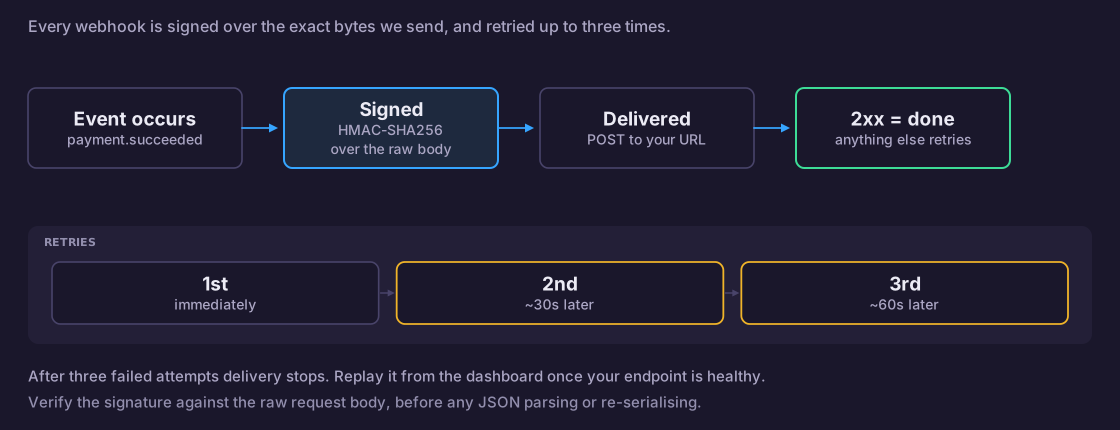
Creating a Webhook
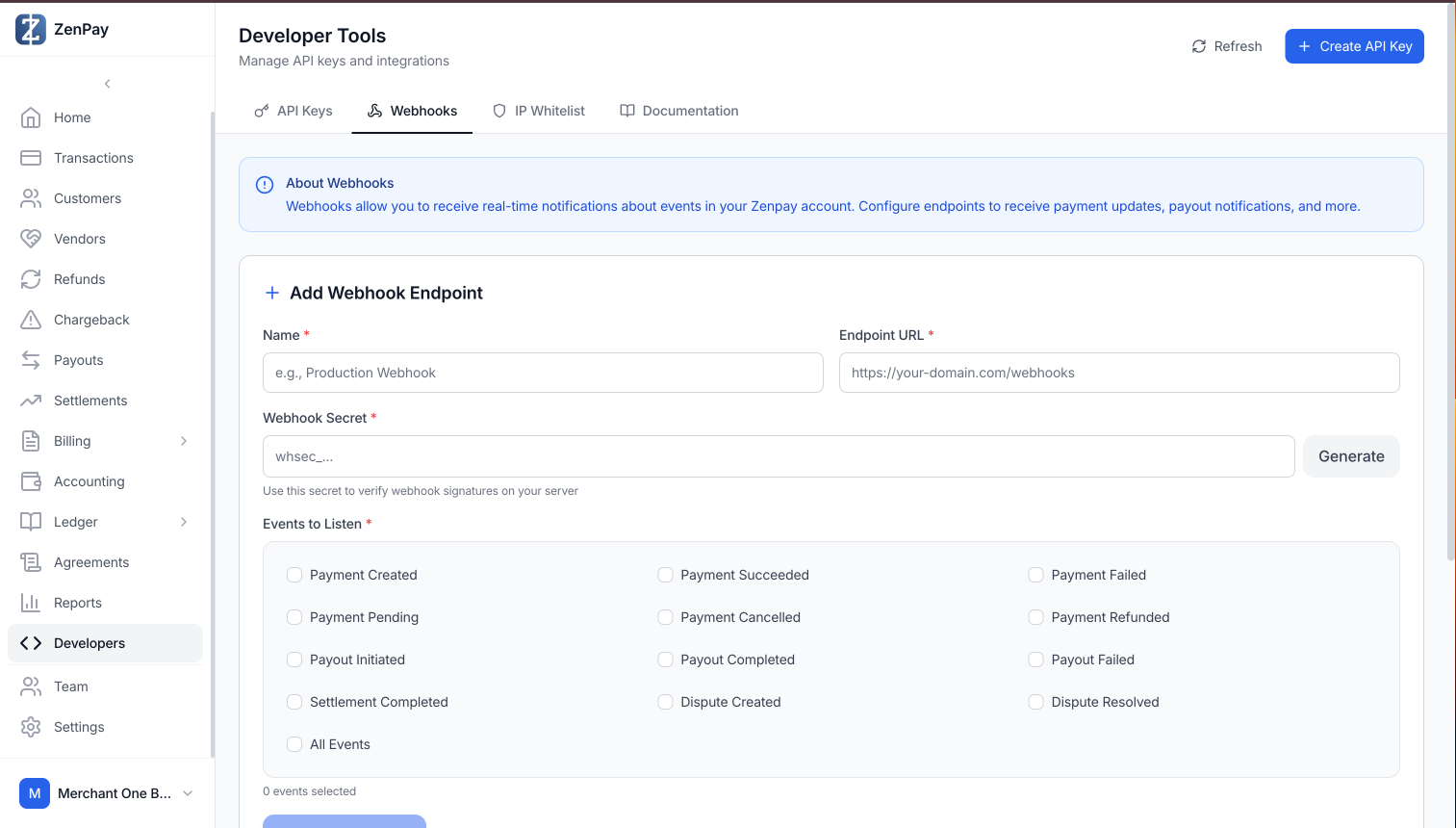
- Log in to your Merchant Dashboard and navigate to Developer Tools → Webhooks tab.
-
Fill in the Name and Endpoint URL fields with your server's webhook URL (e.g.
https://your-domain.com/webhooks/zenpays). -
Click Generate to create a Webhook Secret. Copy and store this secret securely on your server — you'll need it to verify webhook signatures.
-
Select the Events to Listen to. You can pick individual events or select All Events to receive everything.
-
Click + Add Webhook to save.
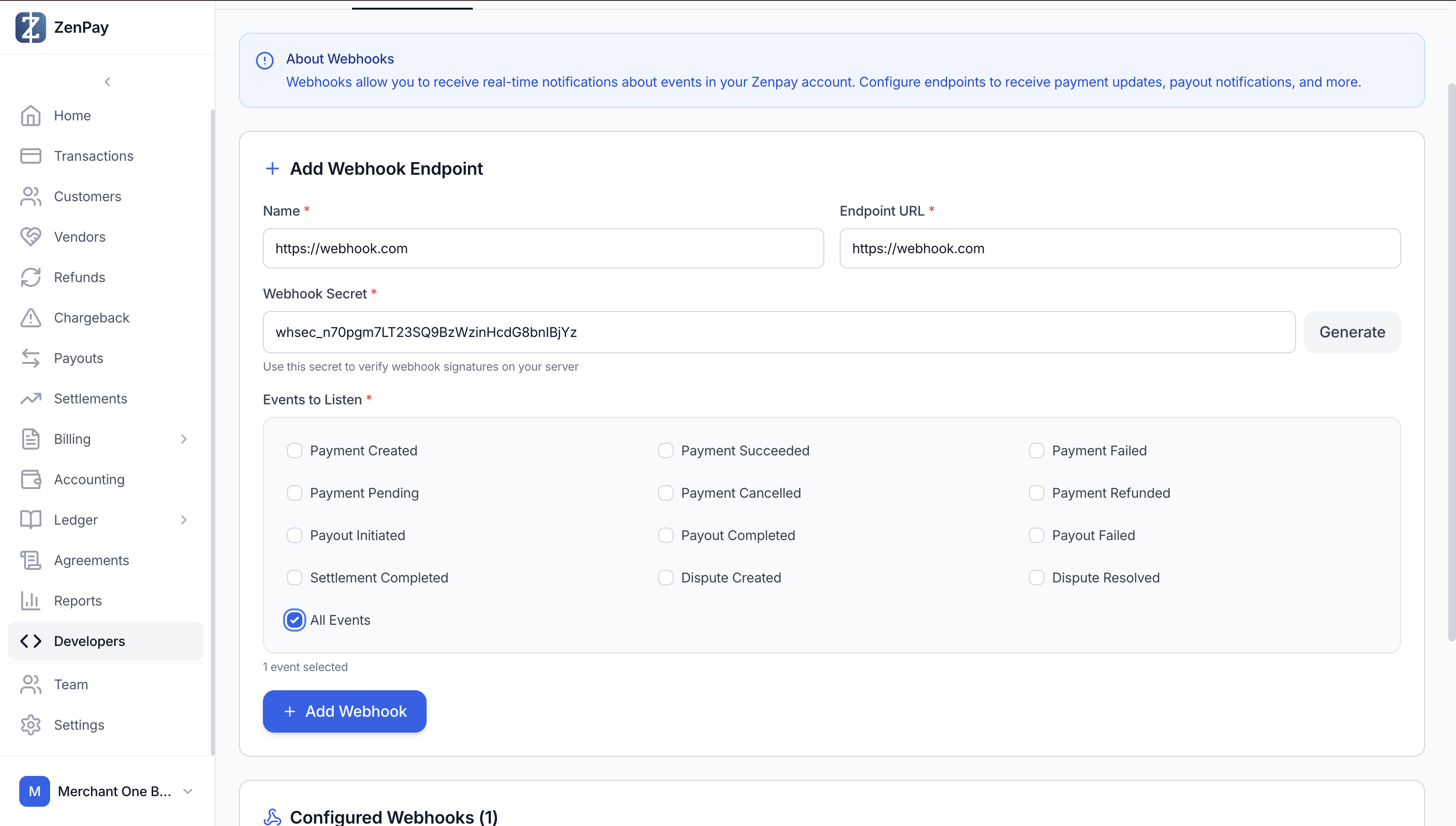
- Your endpoint will appear under Configured Webhooks. You can add multiple webhook endpoints to receive events at different URLs.
Testing Webhooks
To test your webhook integration:
- Create a webhook on the dashboard (see above).
- Process a test payment transaction through the checkout flow.
- Check your server logs to verify the webhook was received with the correct payload and signature.
Delivery attempts and status are visible in the dashboard under each configured webhook endpoint.